
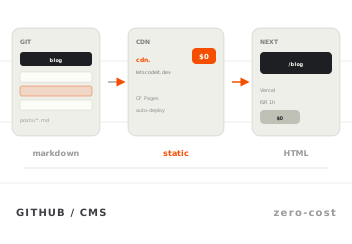
We skipped Contentful: GitHub as a CMS for our Next.js blog
We publish letscodeit.dev blog posts from a separate GitHub repository. The Next.js app fetches markdown at runtime with a one-hour cache, syncs slug metadata…
BLOG
Product updates, engineering deep dives and notes from the field — written by people who actually ship the code.
Subscribe and get one new post about code, design and shipping — straight to your inbox. No filler, no growth hacks.
You're almost in. Check your inbox to confirm.
No spam. Unsubscribe anytime.
ENGINEERING
Deleting files does not erase git history. How I reset a public markdown repo to one commit with an orphan branch and force push without breaking my Next.js blog.
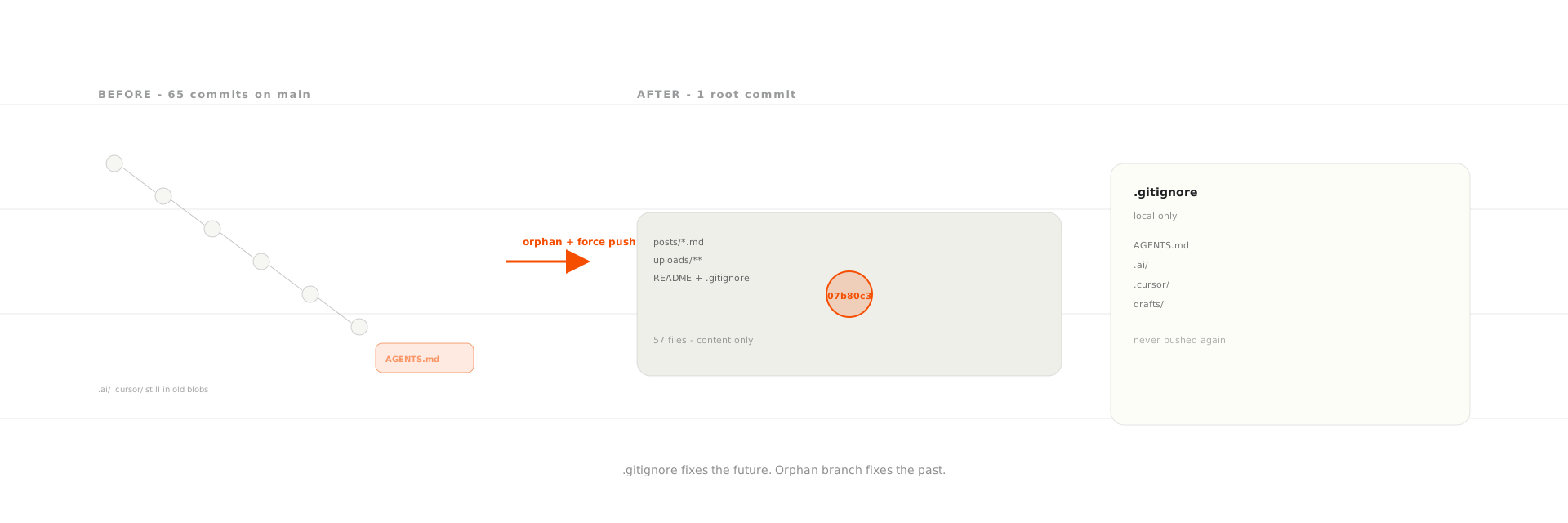
FIG. 01 ·Engineering — June 25, 2026
Adding paths to .gitignore and deleting them in a new commit only removes files from the latest snapshot of your branch. Old commits on GitHub still store every blob you ever pushed. To actually erase files from a public repository you must rewrite history with git filter-repo or an orphan branch, then git push --force and delete remote branches that still point at pre-rewrite commits.
I learned this the hard way on the blog content repository that powers my GitHub-as-CMS setup. Markdown posts and images belong in public git. Agent instructions, editorial strategy notes, and editor skill files do not. They were in the tree anyway because it was convenient for local AI workflows. Convenient for me. Public on raw.githubusercontent.com.
The content repo is supposed to be boring: posts/*.md, uploads/, README.md, LICENSE. That is the publish surface my Next.js app reads at runtime and what Cloudflare Pages mirrors to the CDN.
Sitting next to those folders on disk:
| Category | Examples | Why it should stay local |
|---|---|---|
| Agent instructions | AGENTS.md |
Describes repo wiring, CDN URLs, editorial contracts |
| Content planning | .ai/ strategy, outlines, SEO benchmarks |
Draft angles I have not shipped |
| Editor tooling | .cursor/skills/ |
Blog-writing prompts, validators, voice rules |
| Session state | .omc/, .opencode/ |
Tooling noise, not editorial content |
| Drafts | drafts/ |
Work in progress |
None of this was meant for readers or for GEO citation. It was still reachable if you knew where to look in git history. GitHub's file history UI would happily show "deleted in commit X" and let you open the previous version.
I am not going to reproduce private file contents here. The mistake was structural: I treated the content repo like a monorepo for "everything related to the blog," including tooling that should never have been pushed.
.gitignore actually fixesI knew .gitignore alone would not touch old commits. Step one was still worth doing: stop the bleeding on future pushes.
.gitignore.git rm --cached on the 17 tracked files.That cleaned up main going forward. Blobs in older commits stayed put. Anyone could still run:
git log --oneline -- AGENTS.md
git show <old-sha>:AGENTS.md
| Step | Fixes current tree? | Fixes history? |
|---|---|---|
Add paths to .gitignore |
Prevents new commits | No |
git rm --cached + commit |
Removes from latest snapshot | No |
Merge PR to main |
Same | No |
Step two was the actual cleanup: rewrite history or live with those blobs forever. If your repo is public, assume git history is part of the attack surface. That is especially true when the same repository backs a CDN mirror, as I described in the GitHub-as-CMS architecture post. Paths matter more than commit SHAs for my app. History still matters for anything you ever committed.
You have two serious options. Pick based on whether you need to preserve the commit graph.
Once .gitignore was merged, I turned to that second step. I asked a coding agent how to wipe the old blobs from GitHub. The answer came back quickly: use git filter-repo, the modern recommended way to strip paths from every commit. Fair. That is what most guides point to.
I read up on it. New CLI to install. Every private path listed with --invert-paths. The tool strips your origin remote when it runs. Then force-push all branches and tell everyone to re-clone. I never ran any of that. On paper it is the correct approach. For a solo markdown repo with about sixty commits it still felt like more machinery than I wanted to babysit.
So I looked for a simpler mental model.
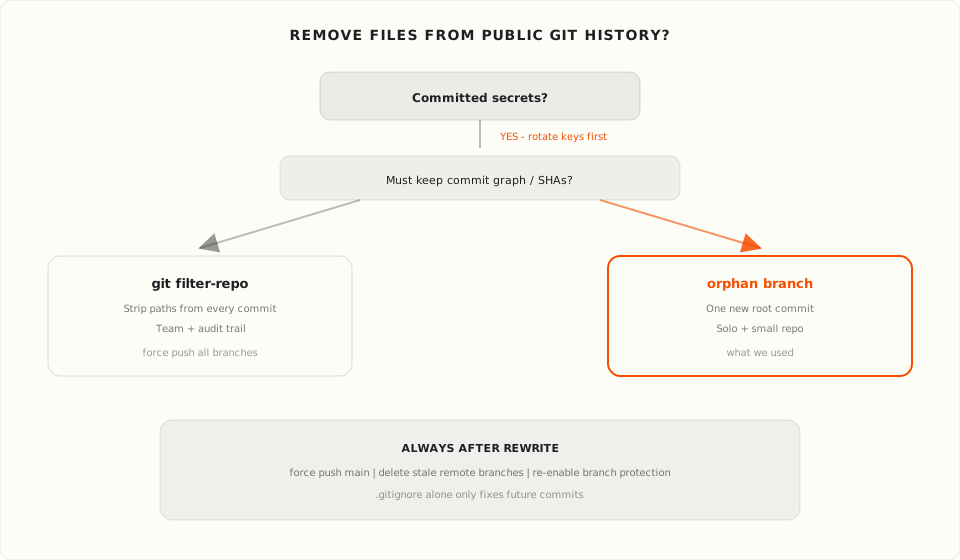
git filter-repo (what the agent recommended)git filter-repo removes paths from every commit while keeping the shape of history. Use it when you have collaborators, open PRs that must remain intelligible, or compliance reasons to keep dated commits.
brew install git-filter-repo

git filter-repo --force \
  --path AGENTS.md --invert-paths \
  --path .ai --invert-paths \
  --path .cursor --invert-paths \
  --path .omc --invert-paths
filter-repo rewrites all branches. It also removes your origin remote by default, so you re-add it and force-push. Everyone with a clone should re-clone or follow GitHub's guide on dealing with rebases.
If you need the commit graph to survive, this is still the right call. I just did not need that for my content repo.
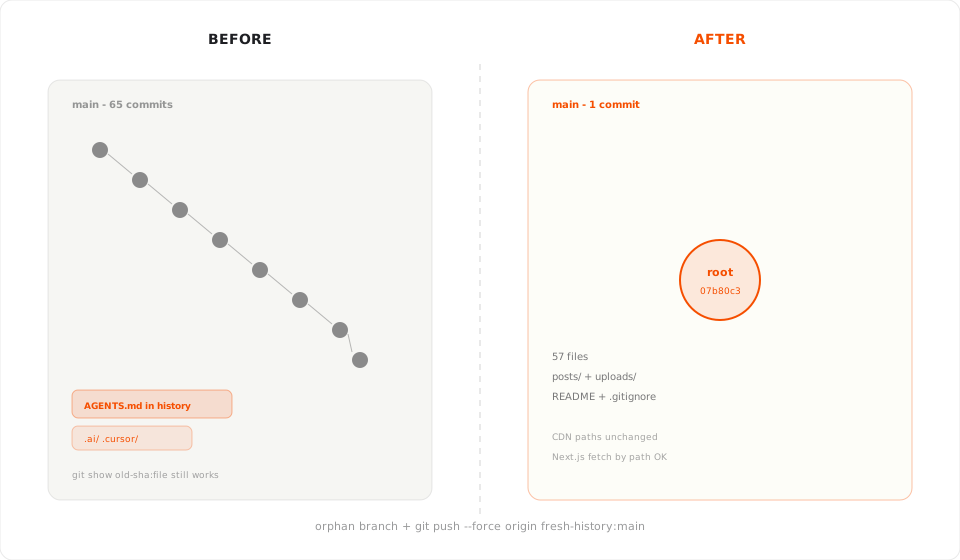
An orphan branch has no parent commits. You snapshot the current working tree, make one root commit, and replace main. No filter flags. No path surgery across dozens of SHAs. One clean starting point.
That fit my constraints: solo maintainer, small repo, no need to preserve old SHAs, and a hard line between "content catalog" and "agent workspace."
git checkout main
git checkout --orphan fresh-history
git reset
git add -A
git commit -m "Initial commit: blog content repository."
git push --force origin fresh-history:main
After the push I deleted the temporary fresh-history branch on the remote, removed sixteen stale local branches (anton/*, chore/*, content/*), and ran git gc --prune=now so old objects did not linger on the laptop.
| Orphan branch | git filter-repo |
|
|---|---|---|
Commits on main after |
1 | Same count (minus blobs) |
| Force push required | Yes | Yes |
| Remote branch cleanup | Delete branches pointing at old SHAs | All branches rewritten |
| CDN / app impact | None if file paths unchanged | None if file paths unchanged |
| Best when | Small solo repo, fresh start OK | Team, audit trail, many branches |
My Next.js reader fetches posts/{filename} by path with a one-hour cache. It does not pin content to commit SHAs. Resetting history did not break production URLs.
main had branch protection: changes through PR only. A history rewrite requires force push. I temporarily lifted the rule (admin bypass), pushed fresh-history:main, then turned protection back on.
GitHub printed a warning about bypassed violations even while the push succeeded. Expected. Re-enable protection afterward and keep force push disabled for normal contributors.
Old pull requests still exist on GitHub. They point at commits that are no longer on main. That is fine. Do not merge them after a rewrite.
If you are following the solo founder MVP playbook and using GitHub for the first time, branch protection is easy to add early. Just remember it blocks the cleanup maneuver too.
I kept publishing only what readers need.
| Ships in the public repo | Stays local (.gitignore) |
|---|---|
posts/*.md |
AGENTS.md |
uploads/** |
.ai/ |
README.md with post index |
.cursor/skills/ |
LICENSE, .gitignore |
.omc/, .opencode/, drafts/ |
The README no longer advertised .ai/ or linked to agent instructions. It lists published articles with links to letscodeit.dev instead. The public repo should read like a content catalog, not an agent workspace.
Local tooling stayed on disk. Agents still read skills from /skills. I only stopped shipping that folder to GitHub.
Be realistic about limits.
git fetch + git reset --hard origin/main or a fresh clone.I can say main on the canonical repo is clean. I cannot promise every copy on the internet forgot.
posts/, uploads/, minimal root docs..gitignore in commit #1 if you can. At minimum before the first push of tooling folders.git log --all -- AGENTS.md .ai .cursor.git filter-repo.git clone --mirror before any force push.main. Delete obsolete remote branches.origin/main.posts/[slug].md should still resolve.I would never commit agent config to the content repo in the first place. Skills belong in a private dotfiles repo, a separate tooling monorepo, or purely local paths.
A pre-commit hook that rejects AGENTS.md, .ai/, and .cursor/ in this repository would have been cheaper than a history reset.
If I needed an audit trail of editorial changes, I would pick git filter-repo over an orphan branch. I traded commit archaeology for a single clean root. For a marketing content repo that was the right trade.
Good fit: public markdown or static content repos, accidentally committed drafts or internal notes, small team comfortable coordinating a force push.
Poor fit: compliance regimes that require immutable history, many open PRs depending on old SHAs, or committed secrets you cannot rotate. That last case is an incident, not a git cleanup task.
.gitignore remove files from git history?No. .gitignore only affects untracked files and future commits. Blobs already reachable from old commits stay in the object database until you rewrite history or garbage-collect unreachable objects on every clone that ever fetched them.
An orphan branch is created with git checkout --orphan <name>. It has no parents, so the first commit starts a new history graph. You typically git reset, stage the tree you want public, commit once, and force-push to replace main.
Usually yes if the app fetches by file path, not commit SHA. My setup reads CONTENT_REPO_URL/posts/{filename} with HTTP caching. Replacing history did not change paths or filenames. Coordinate with anyone else pushing to the same repo before you force-push.
git filter-repo?Orphan branch for small solo repos where one root commit is acceptable. git filter-repo when you must keep commit dates, branch topology, or SHAs referenced by automation. Both require force push and branch cleanup on GitHub.
main?No. Forks are independent copies. Someone who forked before your rewrite still has the old graph until they delete the fork or reset it manually.
We publish letscodeit.dev blog posts from a separate GitHub repository. The Next.js app fetches markdown at runtime with a one-hour cache, syncs slug metadata…
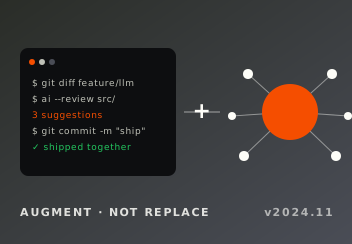
AI will not replace developers in the foreseeable future. It automates boilerplate and tests, plus first-pass debugging, but someone still has to define the…
Subscribe and get one new post about code, design and shipping — straight to your inbox. No filler, no growth hacks.
You're almost in. Check your inbox to confirm.
No spam. Unsubscribe anytime.
No comments yet. Be the first to share your thoughts.
Comments